Image to 3D API. Built into your app.
Use the easyrender REST API to turn product photos into textured GLBs. Your interface, your workflow, with a preview before the paid build.
- Element
- Swivel armchair
REST API · Product photo in. GLB out.
- GLB
- USDZ
- Blender
- SketchUp
- three.js
- Shopify
- ARKit
- ARCore
Make 3D generation part of your product.
Connect your backend to easyrender and decide how people upload, review and use each model.
One HTTP workflow
- Bearer authentication
- Multipart upload
- JSON status
- GLB download
Catalog tools
Give your catalog team an upload-and-review tool. Keep each render ID with its product record and retrieve the GLB when the build completes.
Your own upload experience
Keep your own interface and approval flow. Your backend submits the photo, returns the preview to your user and starts the paid build only after approval.
3D product experiences
Download a textured GLB for your web viewer or prototype. Your application controls where the file is stored and how it is displayed; store publishing is your integration’s responsibility.
From your upload flow to a model response.
See the application handoff and JSON response, then inspect the source photo, generated angles and downloadable GLB.
Your application · easyrender REST API
Illustrative application flow and partial JSON response. No upload or paid request runs here.

Product photo received
armchair.jpg GLB
Your backend sends the photo to POST /api/renders. Show the preview, display the returned cost and let the user approve the paid build. Poll the render status to retrieve the finished model.
Use the render’s current renderCredits field before building; the cost can change when a finished sheet is reused. Keep the API key on your server.
GET /api/renders/:id
{
  "id": "sample_armchair",
  "status": "ready",
  "hasModel": true,
  "credits": 64
}
Partial response after a full build has finished; sample ID, not a live render.
01Source photo
One clear image of the object. No 3D file or multi-camera capture required.
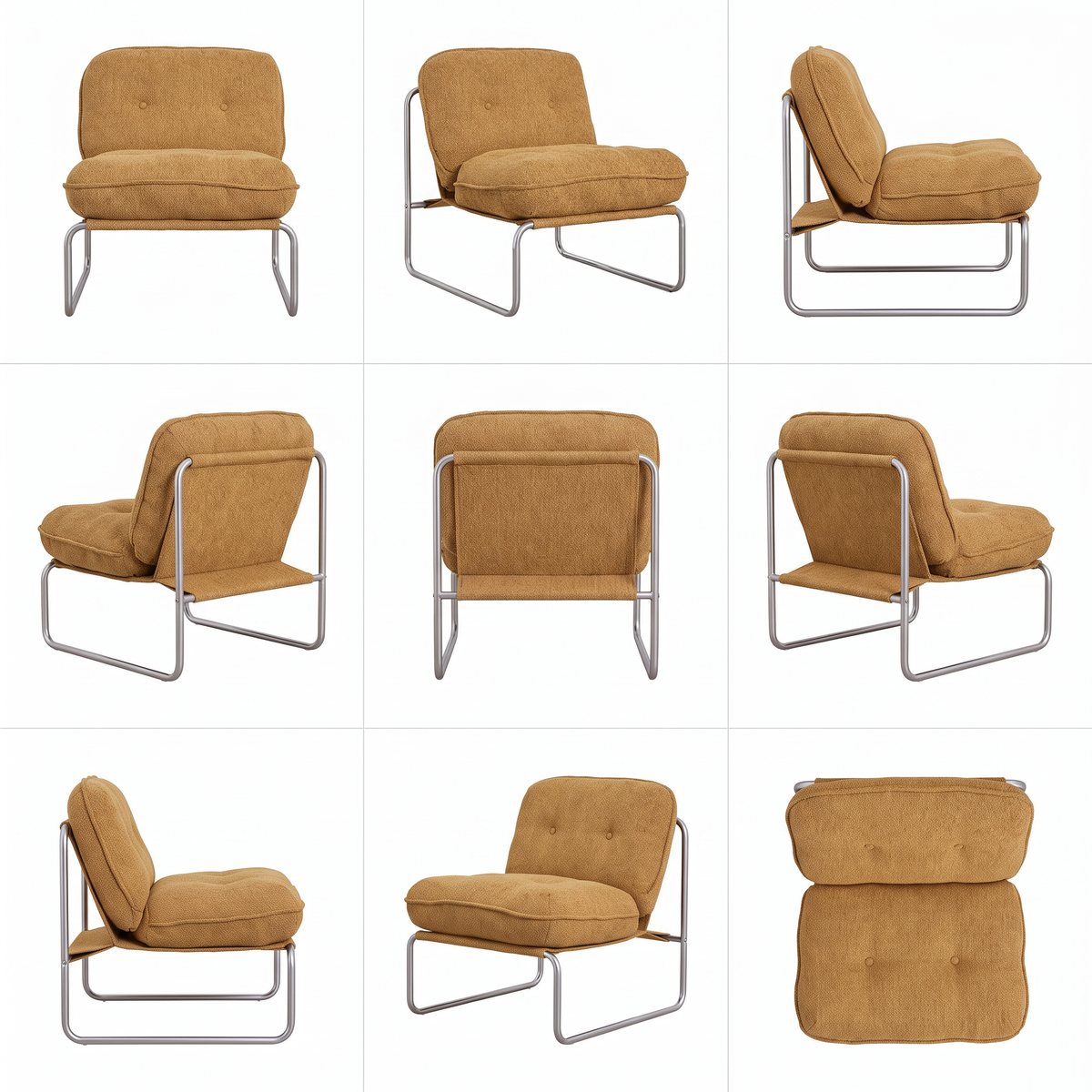
02Generated angle sheet
See how the object is interpreted from different sides before using the final asset.
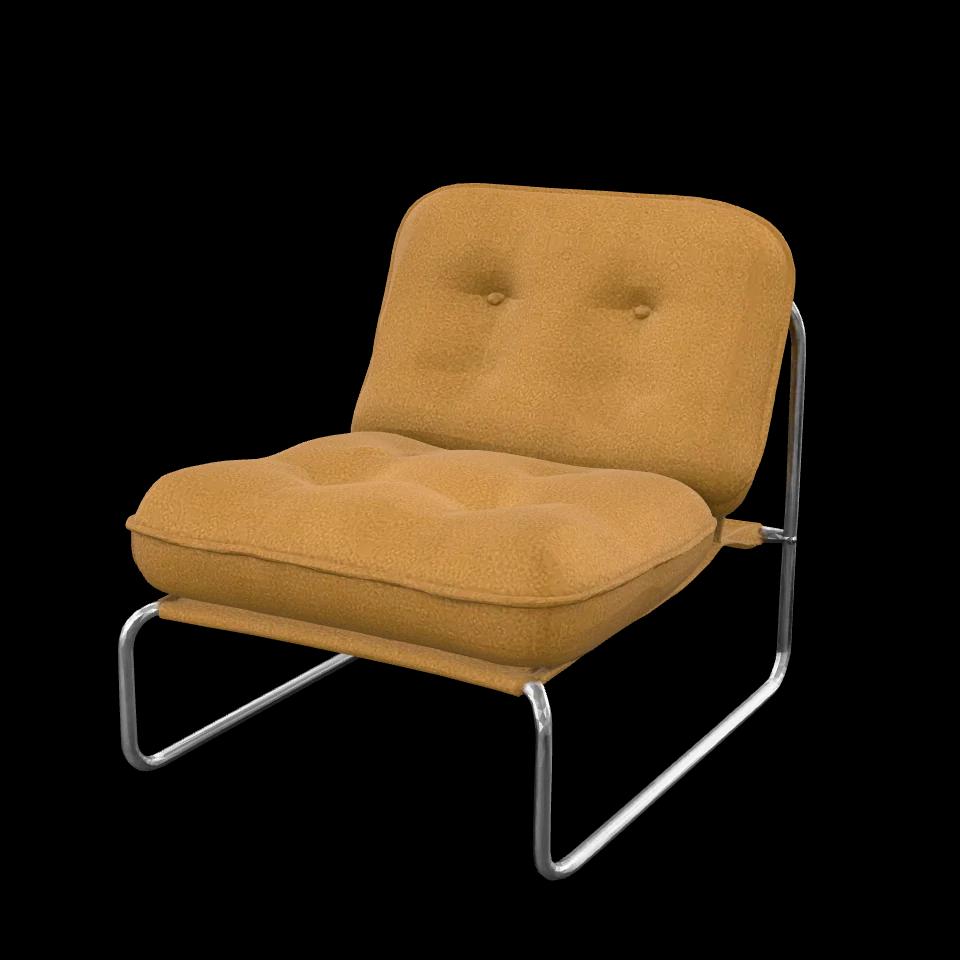
03Textured GLB
Drag to rotate the model. Download it to inspect in your own 3D viewer.
What you can inspect
These files come from an easyrender test-harness generation. The armchair materials were adjusted to match the photo and the textures compressed for the web. This is a showcase asset, not an unedited API or MCP recording.
Price and timing
The prices below are current quotes, not a receipt for this sample. This historical demo has no verified end-to-end duration; your job status and debit are the source of truth.
Pre-generated showcase assets, not a live request. This sheet is a finished example; the initial preview is watermarked. Geometry is approximate and unseen surfaces are inferred.
Download sample GLBWhat does the image to 3D API cost?
Pay for 3D builds with your account credits. API access uses the same credit balance as the web app.
- Angle-sheet preview
- $0.00
- No credits charged, subject to your account’s preview allowance. Review the preview before the paid build.
- Per full 3D build · pay as you go
- $0.64
- 64 credits for the final angle sheet and textured GLB. This is the full photo-to-3D workflow.
- API & MCP access
- Included
- Use your account and credits through either integration. No separate connector fee.
Budget example: 100 full builds
6,400 credits = $64.00 at the pay-as-you-go rate of $0.01 per credit. Monthly plans can lower the effective cost per credit.
Start without a subscription
The minimum credit purchase is 500 credits ($5.00). Credits do not expire. Review the total at checkout before paying.
Read renderCredits in the render response before building; it is the credit cost for that render. Keep approval and spending limits in your application. Failed 3D builds refund their credits. Prices shown use your current currency and pricing offer.
You own the experience. We generate the model.
Three stages, with a clear boundary between the preview and the paid build.
Upload and preview
Send a JPEG, PNG or WebP file as multipart form data. Keep the returned render ID and check progress.
Approve the build
Show the preview and credit cost in your UI. Call the build endpoint only when you are ready to spend credits.
Retrieve the GLB
Poll for completion from your server, handle failures and download the finished model with your API key.
Start with an API key.
Create a key in Connectors, then make requests from your backend or terminal.
Your account, your credits
Sign in or create an account to manage API keys, buy credits and find generated models in your library.
Get API keyWant to connect an AI agent instead?
See the MCP integrationexport EASYRENDER_URL="https://easyrender.ai"
export EASYRENDER_API_KEY="er_your_key"Replace er_your_key with your key. Run the examples in the same shell. Keep the key on your server; never put it in browser or mobile client code.
From the first request to a GLB.
Copyable cURL examples for the current REST endpoints. Run each stage separately and wait for the required status.
01 · Upload your photo
Use your own product.jpg. The response includes id, status and renderCredits. The image field is a file, not a JSON image_url.
POST /api/renderscurl --fail-with-body "$EASYRENDER_URL/api/renders" \ --header "Authorization: Bearer $EASYRENDER_API_KEY" \ --form "image=@product.jpg"02 · Choose visibility
Replace EASYRENDER_RENDER_ID with the id from the response. Finished renders are public by default. This request keeps the render out of the public gallery; send it before starting the build.
PATCH /api/renders/{id}export EASYRENDER_RENDER_ID="REPLACE_WITH_RESPONSE_ID" curl --fail-with-body --request PATCH \ "$EASYRENDER_URL/api/renders/$EASYRENDER_RENDER_ID" \ --header "Authorization: Bearer $EASYRENDER_API_KEY" \ --header "Content-Type: application/json" \ --data '{"isPublic":false}'03 · Wait for the preview
Repeat the first request with a delay until status is preview_ready. Then run the second request and inspect preview.webp. Use renderCredits from the JSON response to show the build cost. Stop if status is failed.
GET status → GET previewcurl --fail-with-body \ "$EASYRENDER_URL/api/renders/$EASYRENDER_RENDER_ID" \ --header "Authorization: Bearer $EASYRENDER_API_KEY" curl --fail-with-body \ "$EASYRENDER_URL/api/renders/$EASYRENDER_RENDER_ID/preview" \ --header "Authorization: Bearer $EASYRENDER_API_KEY" \ --output preview.webp04 · Start the paid build
This request spends credits. Run it only after reviewing the preview, confirming the cost and ensuring your account has enough credits. Your application must implement its own approval step.
POST /api/renders/{id}/renderexport EASYRENDER_MAX_CREDITS="REPLACE_WITH_APPROVED_CREDIT_CEILING" curl --fail-with-body --request POST \ "$EASYRENDER_URL/api/renders/$EASYRENDER_RENDER_ID/render" \ --header "Authorization: Bearer $EASYRENDER_API_KEY" \ --header "Content-Type: application/json" \ --data '{"maxCredits":'"$EASYRENDER_MAX_CREDITS"'}'05 · Download when ready
Repeat the status request with a delay until status is ready and hasModel is true. Only then run the download request. A failed status ends the job; failed builds refund their credits.
GET status → GET modelcurl --fail-with-body \ "$EASYRENDER_URL/api/renders/$EASYRENDER_RENDER_ID" \ --header "Authorization: Bearer $EASYRENDER_API_KEY" curl --fail-with-body \ "$EASYRENDER_URL/api/renders/$EASYRENDER_RENDER_ID/model?download=1" \ --header "Authorization: Bearer $EASYRENDER_API_KEY" \ --output product.glb
Use polling with a delay and a timeout in your application. These examples show individual requests, not an automatic retry loop. For HTTP errors, inspect the JSON error and code fields.
Run the complete example
Upload a photo, review the quote, enforce a credit ceiling, resume by render ID and download the private GLB. The examples stop before spending unless you explicitly approve the build.
Pay per model. Credits never expire.
Previews are free. A finished 3D model costs 64 credits ($0.64).
Free previews. No credit card required.
$0.01per credit
- From 500 credits ($5)
- GLB and USDZ downloads
- Coming soon: see it in your room from your phone
- MCP server and REST API
$49per month
- 5,500 credits every month
- About 85 3D models
- Unused credits roll over
- Need more? Top up anytime at your plan’s rate.
- Cancel anytime
Customvolume pricing
- Volume credit pricing
- Invoice billing
- Priority support
- Onboarding call
Integration details
What images can I upload?
Send a JPEG, PNG or WebP file up to 4 MB in the multipart image field. An optional prompt adds notes about the object. Use a clear photo of one product; image quality checks may reject unsuitable inputs.
Where should I use my API key?
Send it as Authorization: Bearer from your backend. The key authorizes requests for your account, including paid builds. Do not expose it in a frontend bundle, a mobile app or shared example code. Manage and revoke keys in Connectors.
How do I check the cost and my balance?
Render responses include renderCredits, the total credit cost of a 3D build. GET /api/renders returns your library and balance. The preview has an allowance; a POST to the render endpoint starts the paid build. The pricing section on this page reflects the current plans.
How should I handle progress and errors?
Poll GET /api/renders/{id} with delays and a timeout. Wait for preview_ready before building and ready before downloading; stop on failed. HTTP 402 means insufficient credits, 409 an invalid build state, 413 an oversized image, 415 an unsupported image type and 429 an exhausted preview allowance. Do not blindly repeat upload or payment requests.
Can my application receive a completion webhook?
The public REST flow shown here uses polling. A customer-configurable completion webhook is not exposed by these endpoints. Use the status response to trigger the next step in your application.
What kind of model does the API produce?
A textured GLB representing the object in your photo. Geometry is approximate, without guaranteed real-world dimensions or manufacturing precision. This is generation from your own images, not a model library or a promise of automatic store publishing.